What is an authorisation code (AUTHINFO), and where do I find it?
It's the password for moving a .no domain to another registrar, also called AUTHINFO or EPP code. Your current registrar holds it and must give it to you within five working days, free. This guide shows where five of them keep it.
Publisert 15. november 2026
Les denne på norskAn authorisation code is the password for moving a .no domain to another registrar. You may also see it called AUTHINFO or EPP code. Every .no domain has one, and only your current registrar (the company your domain is with) can set or change it, so ask them for it: they must give it to you within five working days, free of charge. With it you can move the domain to Sedes, and that move is free.
Every step of the move is in How do I move my .no domain to Sedes?. If your domain is at Domeneshop, follow How do I move my .no domain from Domeneshop to Sedes? instead.
What is an authorisation code?
It is how Norid, the registry for .no, knows that a move is the subscriber's own wish. The subscriber is the person or organisation the domain is registered to. In Norid's words, the code is there "to prevent your domain name subscription from being moved to a new registrar without your knowledge or consent".
Each .no domain has its own code, and no registrar but yours can see it.
Registrars call it different things, but it is the same code: autorisasjonskode, AUTHINFO, EPP code, Auth-ID (One.com), Auth-kode (Uniweb), AuthInfo (Webhuset), AUTH kode (Domene.no), and at Norid, flyttekode (transfer code).
A code is 8 to 64 characters long, made of letters, digits and a few symbols. Every character counts, so copy all of it.
The code alone doesn't give the domain a new holder. A change of holder is its own process, in which both the current and the new subscriber approve: see How do I give my domain to a new holder?.
Where do I find the authorisation code?
At your current registrar. If you're not sure which one that is, Norid's domain lookup (in Norwegian) shows it, along with the email address on the subscription.
Here is where five registrars keep it. Their panels are in Norwegian: the labels in bold are as you will see them, with a short gloss.
| Registrar | Where it is | How you get it |
|---|---|---|
| Domeneshop | Log in at domeneshop.no → Mine domener (my domains) → the domain → Be om autorisasjonskode (AUTHINFO) (request authorisation code), at the bottom of the page | By email to the subscriber or the account administrator at Domeneshop. You can check the address under Min konto (my account) at Domeneshop. The button requests the code; it doesn't show it. |
| One.com | Kontrollpanel (control panel) → Administrer (manage) by the domain → Domene → Auth-ID → Send Auth-ID | By email to the subscriber's address (One.com calls it the registrant's), not the contact address. Check your spam folder. No access to the panel? One.com's support can send it. |
| Uniweb Home | First ask Uniweb what cancelling does to your DNS and email: Uniweb says you must cancel the domain before you can get the code. Then Mine produkter (my products) → the domain → Administrer domene → Be om flyttekode (request transfer code), and confirm with your control panel password | Uniweb says the code is then sent. |
| Uniweb Legacy | Domenenavn (domain names) → the domain → Sikkerhet (security) | Shown in the field AUTH-/EPP-KODE. |
| Webhuset | Customer centre → the domain → Registry → the AuthInfo section | Shown there. |
| Domene.no | Customer web → Mine produkter or Domenenavn → Administrere → Vis Auth kode (show auth code) | Shown on screen. |
Sources, each registrar's own help page (in Norwegian): Domeneshop, One.com, Uniweb, Webhuset, Domene.no.
Another registrar? Ask them in writing for the authorisation code (AUTHINFO), and name the domain. A written request also gives you a date to count their deadline from.
Check that you can read mail sent to the address on the subscription. One.com sends the code to the subscriber's address, not the contact address, and Norid's one-time code, the fallback described under "I can't get the code", goes to the address on the subscription too. Norid's domain lookup shows which address that is. At Domeneshop, check under Min konto instead. If the address is out of date, ask your registrar to correct it. Norid requires them to help, and they may not charge you for updating it so you can receive a one-time code.
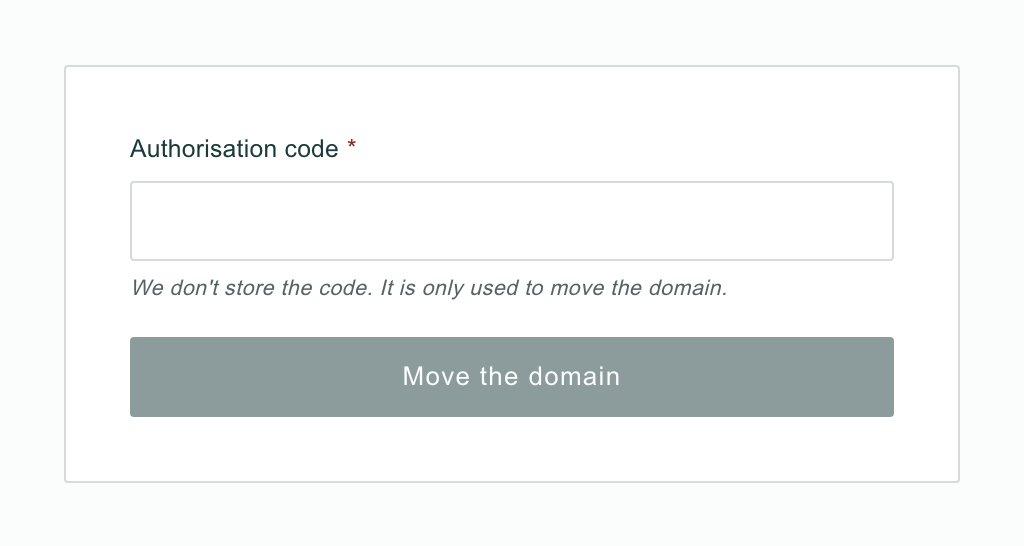
When you have the code, paste it into the Authorisation code field at the last step of a move to Sedes, and press Move the domain. The steps before that are in How do I move my .no domain to Sedes?.
How long does the registrar have, and does it cost anything?
Five working days, and nothing. Your registrar must give you the code within five working days of your request, and is not allowed to charge you for it. The rule is on Norid's page on changing registrar (in Norwegian), if you need to point them to it.
If your registrar has a transfer lock (flyttelås) switched on, it has to come off before there is a code to give. Domeneshop and Domene.no say .no domains have no such lock with them. If you can't find the lock, ask your registrar.
Is your domain with Sedes?
Your account doesn't show the code. Write to hei@sedes.no with the domain name and we'll send it. That is also how you start a move away from Sedes. We're bound by the same five working days as any other registrar.
Each domain's Transfer tab in your account has a Registry lock card. When it says Locked, Sedes holds no code for the domain, and nobody can use one to move it away. Turning the lock off makes a new code.
The code is refused
If Norid doesn't accept the code when you move to Sedes, you get this message: "Norid did not accept the authorisation code. Check that you copied the whole code, or ask your registrar for a new one, and try again." A wrong code breaks nothing: the domain stays where it is, and the order stays open for a corrected code.
Copy the whole code. Spaces before and after it are removed by the field, so a stray space is not the problem.
If the code is complete and still refused, it may have been changed since you got it. Ask your registrar for a new one.
After several refused tries the move pauses. That, and the other messages you may see during the move, are under "When it doesn't work" in How do I move my .no domain to Sedes?.
Does the code expire?
Norid gives no expiry for the code. It works until it is changed: your registrar can change it, and Norid replaces it when the domain moves or changes holder. So if your code is from a while back, ask for a new one before you use it.
I can't get the code
No code arrives, or there isn't one. Norid has a second route: a one-time code, which Norid emails to the address on the subscription. You can't order it yourself; the registrar you are moving to does. If you are moving the domain to Sedes, we order it: write to hei@sedes.no with the domain name and we'll help you from there. If you are moving it elsewhere, your new registrar orders it. A one-time code only works for a limited time, so use it when it arrives.
If no address on the subscription works any more, Norid can add a new one against documentation, sent in by the registrar you are moving to. If that is Sedes, write to hei@sedes.no and we'll take it from there.
Your registrar won't give it to you. Norid's rule in "How long does the registrar have" applies to every registrar, so point them to it. If they still refuse, you can complain to Norid, as Norid's notice on the transfer code says. You don't have to wait for them, either: the one-time code works without your registrar.
Keep the code safe
The code is the key to moving your domain. Whoever has it can move the domain to a registrar of their choosing. The code exists to stop moves you didn't ask for, and it only does that while you are the one holding it.
If someone you hired asks for it, a web agency or a colleague moving "the website", the code lets them move the domain to a registrar they choose. So ask them which registrar they are moving it to. Moving the domain is not a change of holder, which is a separate process that both the current and the new subscriber approve: see How do I give my domain to a new holder?. Or do the move yourself and keep the code.
Give the code only to someone you know is moving the domain for you, and where to. When you move it yourself, paste it straight into your new registrar's transfer form. Never give it to anyone who asks for it unprompted, by email or by phone. A message that asks for your code, or asks you to "confirm" your domain, is a reason to stop. Our guide shows what a real email from Norid looks like.
If you have given the code away and regret it, ask your registrar to change it. Only they can. If the domain is with Sedes, look at the Registry lock card on its Transfer tab. If it says Unlocked, turning the lock on removes the code at Norid; if it already says Locked, there is nothing to do. Or write to hei@sedes.no.
Sedes doesn't store the code you paste in, and keeps it out of its logs.
How this actually works
At Norid, the code is a field on the domain that only the current registrar can set or change, and other registrars can't read. When you paste it at Sedes, it goes with the transfer request to Norid, and Norid accepts the move only with the right code. Once the domain has moved, Norid sets a new code on it, so the one you used is spent. The one-time code is Norid's other route to the same result: it goes from Norid straight to the subscriber, and Norid treats the two as equal. What happens on our side after you press Move the domain is under "What happens next?" in How do I move my .no domain to Sedes?.
Ready to move? How do I move my .no domain to Sedes? has every step. If anything along the way doesn't add up, write to hei@sedes.no.