How do I give my .no domain to a new owner?
You offer the domain to the new holder by email, they accept and pay for a fresh one-year registration, and the domain changes hands. You pay nothing and get no refund for the unused term.
Publisert 10. november 2026
Les denne på norskYou give it away from the domain's page in the app, and the new owner takes it over. You enter their email address, and we email them a link to an offer. They sign in on sedes.no with that address, accept, and go through an ordinary .no checkout: their details, Norid's declaration, payment. The domain changes holder when the payment has gone through.
You pay nothing. The new holder pays for a full new registration at the price shown at checkout, and you get no money back for the rest of the year you have paid for. They get a fresh one-year registration with a new registration date and a new expiry date.
Norid, the registry for .no, calls this a change of holder (the person or organisation the domain is registered to). It is not the same as moving the domain to another registrar. More on that below.
Before you start
You have to be the holder. Only the holder of the domain, the person or organisation it is registered to, can offer it. A technical contact on the domain cannot. If you do not see the option described below, write to hei@sedes.no from the address on your Sedes account and name the domain.
Renew first if the domain has expired or is about to. Norid requires that the existing subscription has not expired when the holder changes.
Know who the new holder is. It can be a private person or an organisation, and it does not have to be the same kind as you. Moving a domain from your own name to your company is a normal case. The new holder needs:
- an organisation number if it is an organisation, or
- a Norid PID (personal ID) if it is a private person. It is issued by Norid, the person gets it themselves, and a national ID number is not accepted. A private person must be 18 or over, and Norid limits how many .no domains a private person can hold directly.
What Norid expects of a holder is in our guide to Norid's rules for who can register a .no.
The new holder needs to sign in on sedes.no with the email address you offer the domain to. Nobody can accept with a different address. Ask them which address they sign in with before you type it.
Warn them the email is in Norwegian. The offer email is sent in Norwegian, even to an English-speaking recipient. Tell them to expect a message titled "Bekreft ny innehaver for" and the domain name, with a button, Se tilbudet. You can also send them the link yourself (step 5 below).
Give the domain away (the current holder)
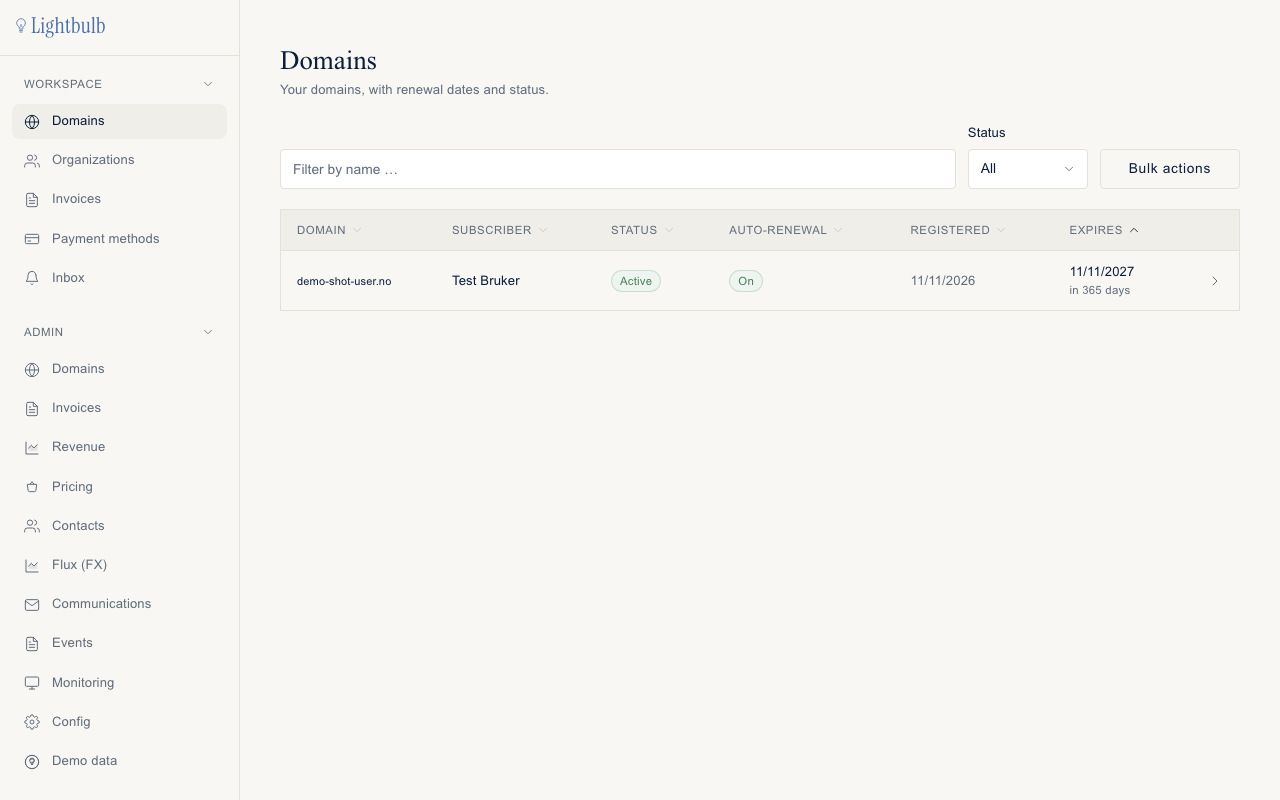
- Log in at app.sedes.no. You land on Domains.
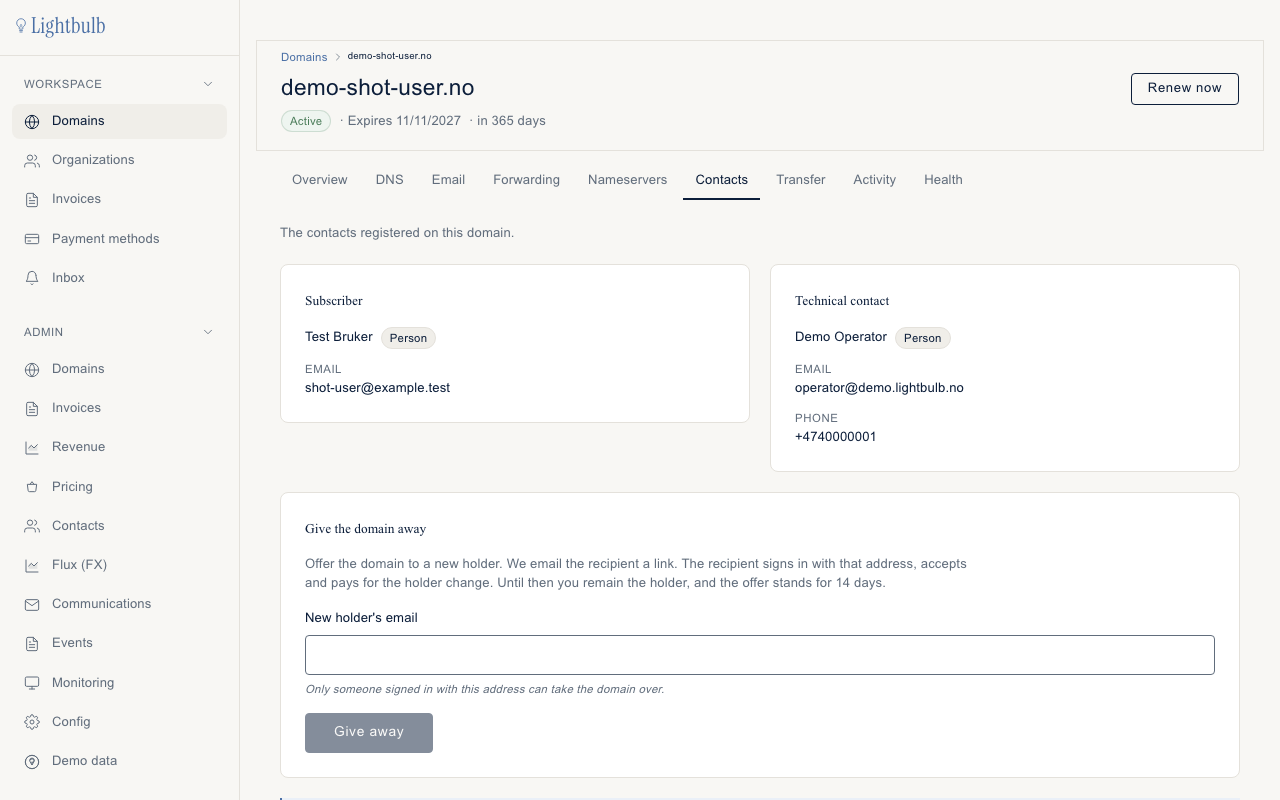
- Click the domain and open the Contacts tab.
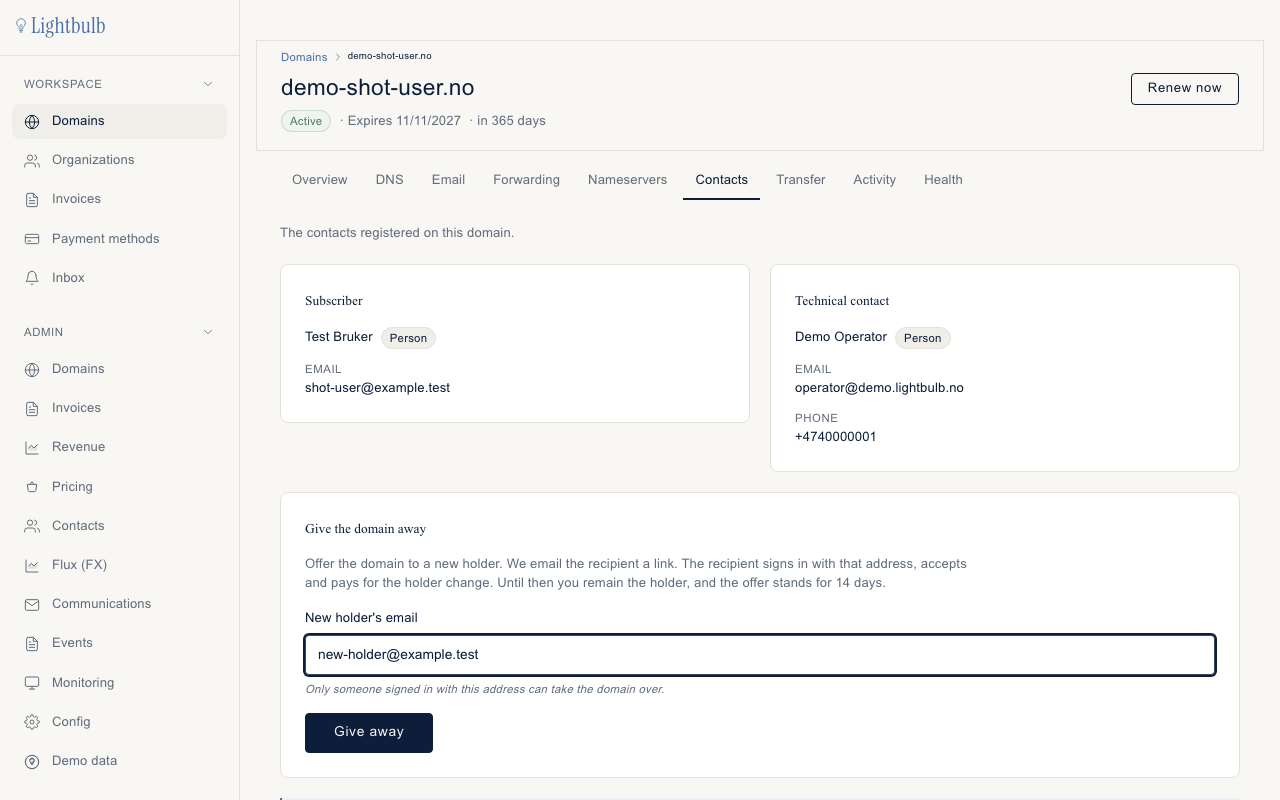
- Find the card Give the domain away. In New holder's email, enter the address of the person who will take over. The hint under the field says only someone signed in with this address can take the domain over.
- Click Give away.
- The card now shows a success message and the link to the offer, once. The text says "It is shown only now." We have already emailed the same link to the recipient, but copy this one too, so you can send it yourself if the email does not arrive.
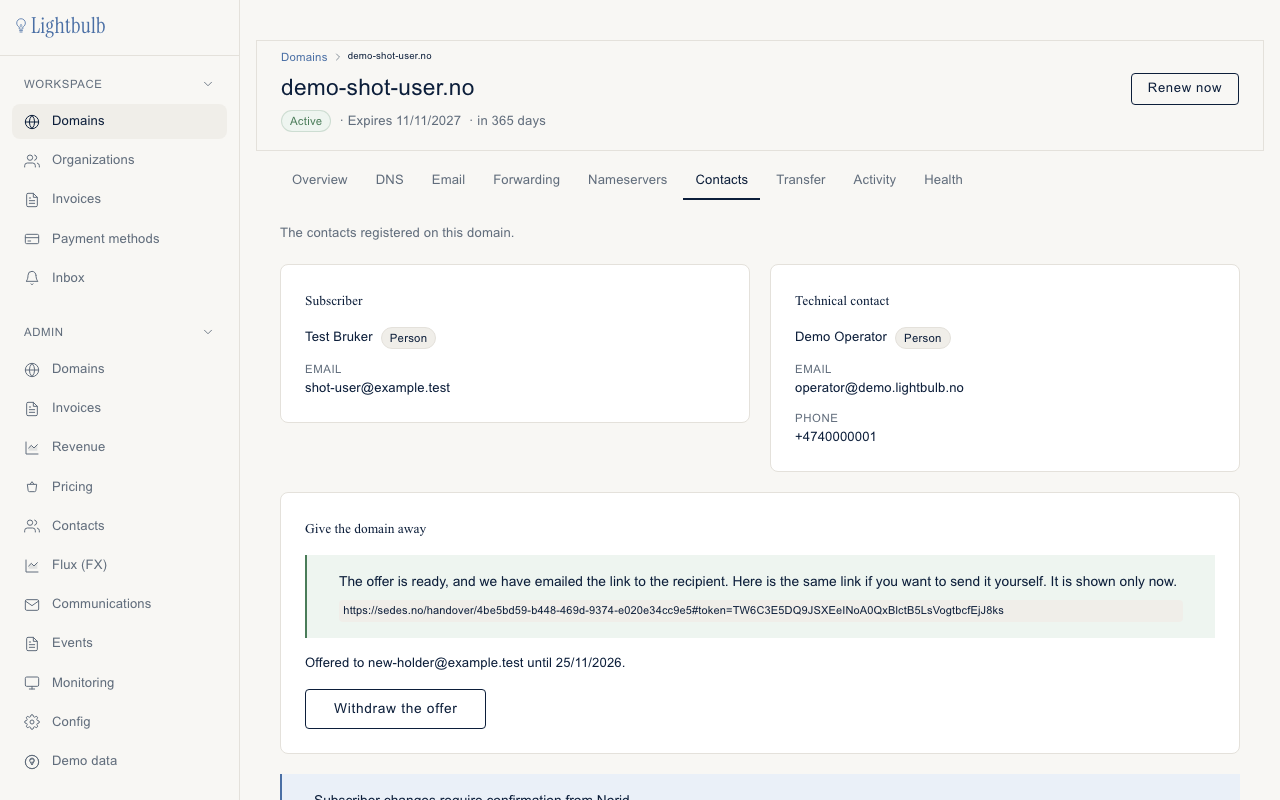
From then on the card reads "Offered to {email} until {date}." The offer stands for 14 days from the moment you make it. The domain works as before in the meantime: nothing changes at Norid until the new holder has paid.
You cannot just edit the holder's name to a new person. The app does not allow it. Changing who the domain belongs to is a holder change, and this card is how you start one.
You do not see the card, or the button gives an error. The card is shown to the holder only. If you are the holder and it is missing, or you get an error you cannot make sense of, write to hei@sedes.no.
Take the domain over (the new holder)
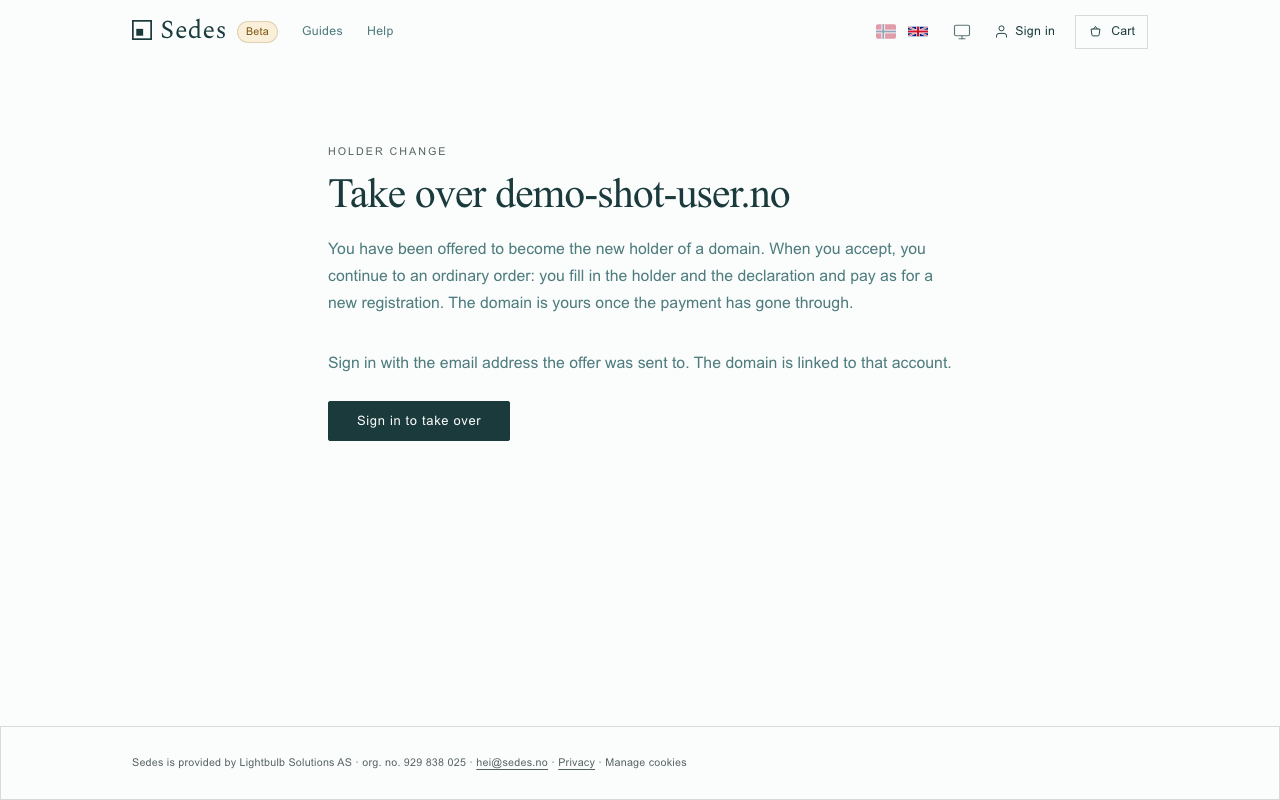
You will have received an email from us, in Norwegian, with a button, Se tilbudet. It opens the offer page on sedes.no, which says Take over and the domain name. The email also says nothing changes until you have accepted and paid. If you did not expect it, ignore it.
- Click Sign in to take over. Sign in with the email address the offer was sent to. The domain is tied to that account. The page has no separate "create account" button.
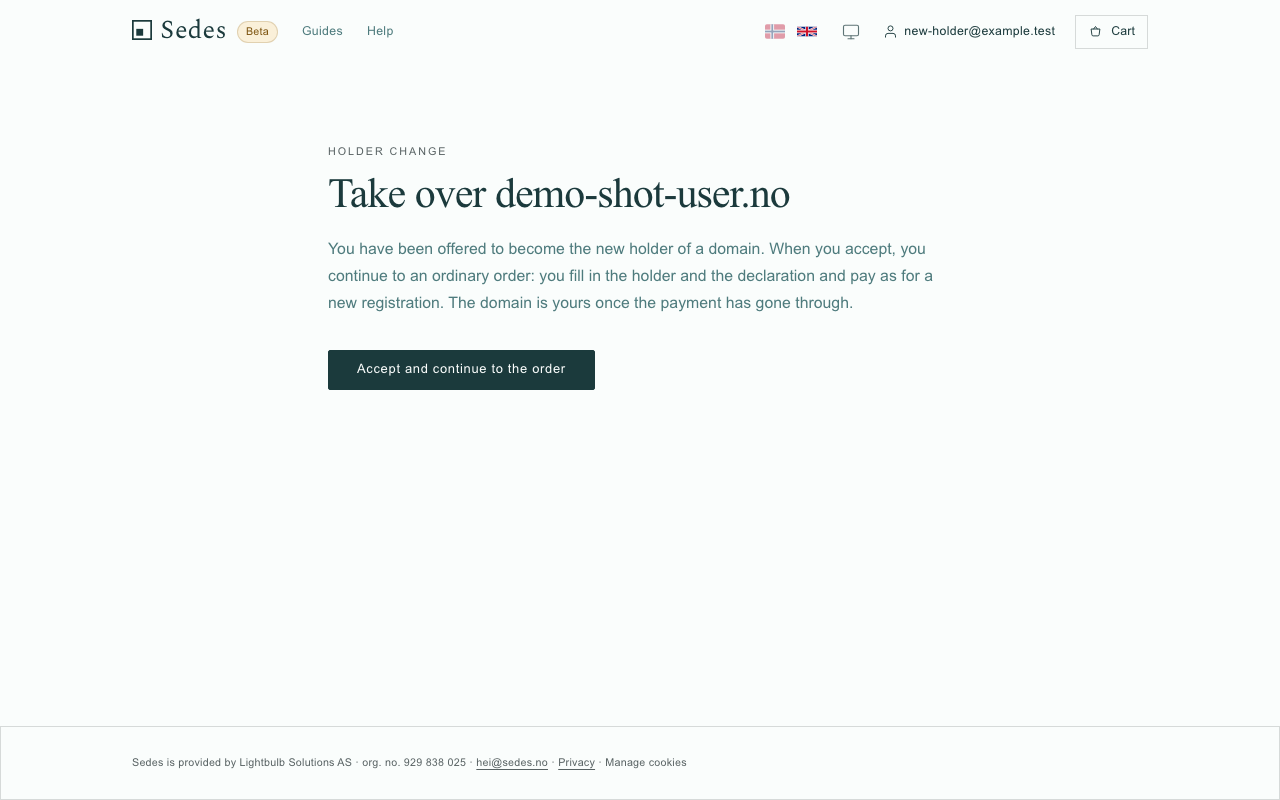
- Back on the offer page, click Accept and continue to the order. If you had another order in progress in this browser, the page warns you first that accepting replaces it there. You can reopen the other order from the link in its email.
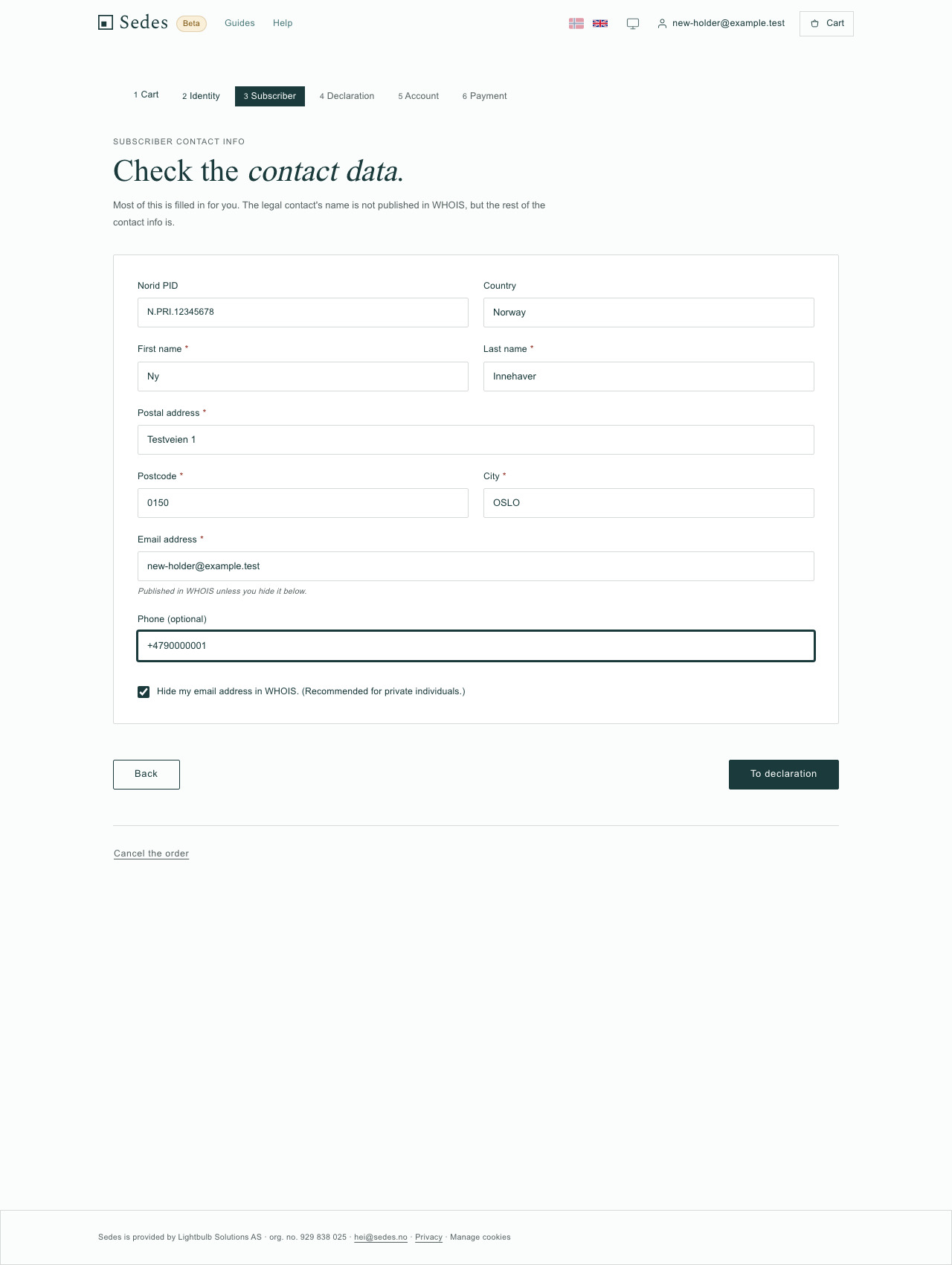
- You are now in an ordinary .no checkout. First Subscriber contact info: organisation number or Norid PID, name, address, postcode, city and email. Then To declaration.
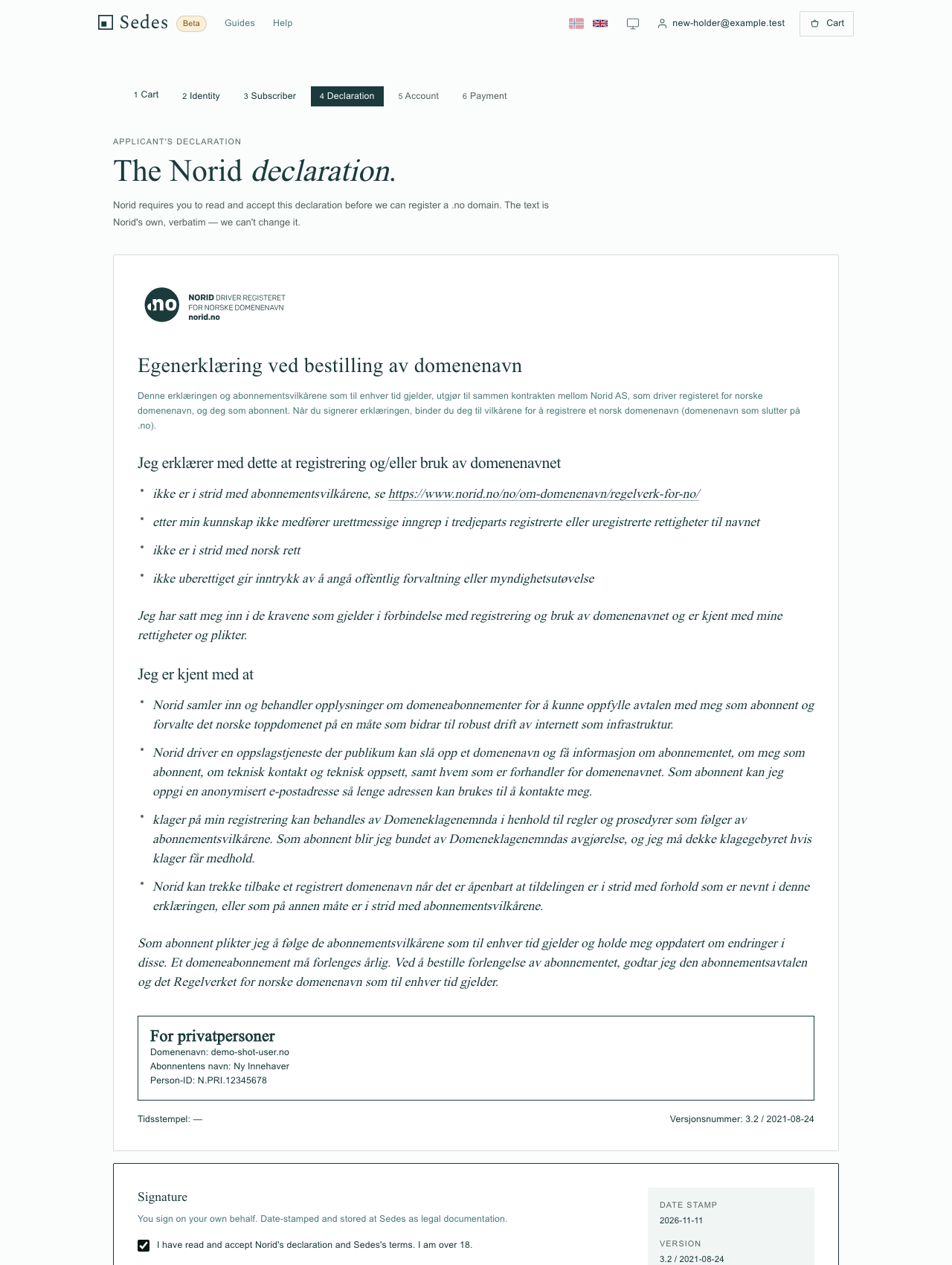
- Read Norid's declaration and tick the box. It covers Norid's declaration and Sedes' terms, and the change cannot be made without it. For a private person the box also says you are 18 or over; for an organisation, that you have authority to sign for it. Click Sign and continue.
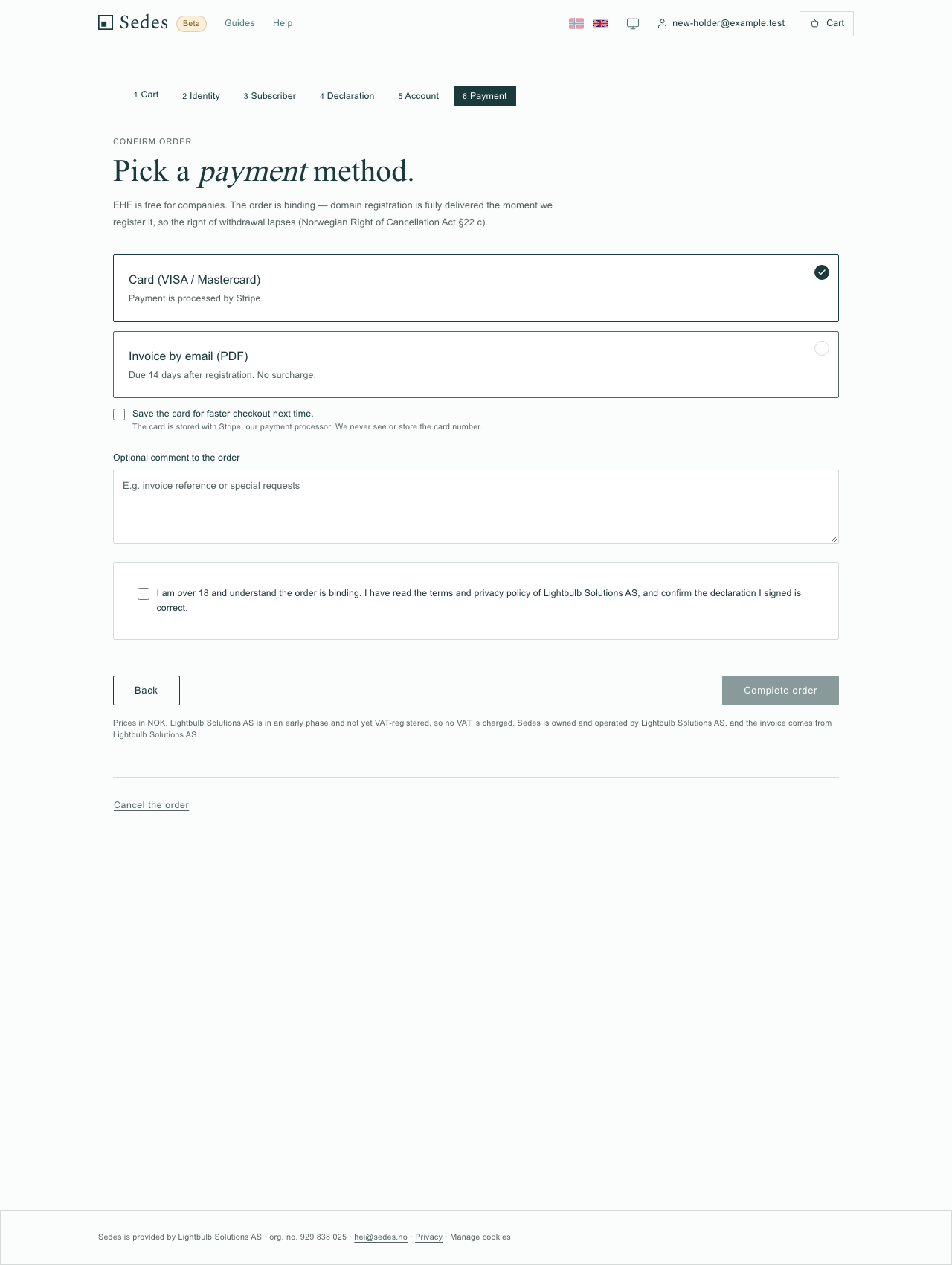
- Choose how to pay: card (Visa or Mastercard), invoice by email (PDF), or EHF, which needs an organisation number.
- When payment has gone through, the domain is registered to you and the order shows the ordinary confirmation. With invoice or EHF the change is made before the invoice is paid, and the confirmation says the invoice is sent once the domain is registered.
If sign-in stops, or the page says the sign-in clashes with another account, write to hei@sedes.no and name the domain.
Afterwards, check the holder's contact details on the domain. They are now yours. The technical contact on the domain is not touched by the change, so look at that too.
What happens to the website, email and DNS
The change touches the holder and the registration dates at Norid, and the holder at Sedes. It does not touch nameservers, DNS records, forwarding rules or DNSSEC. Records and forwarding are stored by domain name, so they stay where they are. A site that works today keeps working through the change.
What does change is that the Sedes account that manages the domain follows the new holder.
Email addresses that run through records in the domain's DNS keep their records. Mailboxes at an outside provider are arranged with that provider and the new holder. If you have a mailbox set up through Sedes, write to hei@sedes.no before you make the offer and name the domain. How email hangs on a domain is in our guide to setting up email on your domain.
How long it takes
The offer stands for 14 days. The change itself is made when the new holder's payment completes: the order sends the holder change to Norid, and the order page shows the confirmation. We do not promise a time for that step. Once it is done, you get an email that the domain now belongs to someone else, with the new registration and expiry dates. If Norid cannot be reached at that moment, the offer stays accepted and our system keeps retrying.
If the payment has gone through and nothing has happened, write to hei@sedes.no with the domain name.
When it does not go as planned
The recipient did not get the email. You have the link from the card, shown once when you made the offer. Send it yourself. If you did not save it, withdraw the offer and make a new one to the same address. They should also check the spam folder, and look for a Norwegian subject line. If it still does not work, write to hei@sedes.no.
The page says the offer was sent to a different address. They are signed in with another address than the one you entered. Either they sign in with the right one, or you withdraw the offer and send it to the address they use. If they cannot sort it out, write to hei@sedes.no.
The offer has expired. It is open for 14 days. The page tells the new holder to ask you for a new one, and you make a new offer from the same card. If the card still says the domain is already on offer, click Withdraw the offer first.
You want to take it back. Click Withdraw the offer on the card. You can do that until the new holder has started paying. After that the card says "The recipient has started paying, so the offer can no longer be withdrawn." A withdrawn link shows the recipient that the offer is gone. If you need it stopped after payment has started, write to hei@sedes.no.
The change does not go through after the new holder has paid. If Norid refuses the change, the holder stays as it was and the order line is not delivered. One thing Norid refuses is a change on an expired domain, so renew it and try again. If you have paid and the confirmation does not show the change, write to hei@sedes.no with the domain name.
Someone else changed the holder in the meantime. The offer ends, and an old offer cannot move a holder who never agreed to it.
Is this the same as moving the domain to another registrar?
No. A holder change decides who the domain belongs to. Moving to another registrar decides who administers it, and uses a transfer code. They are separate processes at Norid.
This guide is for a domain that is already with Sedes. If you want to bring a domain here from another registrar, see moving a .no from Domeneshop or moving the .no and keeping your other domains. To move a domain away from Sedes, use the Transfer tab on the domain's page. If you just want to stop renewing a domain, see how to stop renewing or delete a .no.
How this actually works
Norid does not let you edit who owns a .no. A holder change ends the existing subscription and creates a new one for the new holder, which is why they sign Norid's declaration and get new dates. Norid needs both sides to agree: your offer is the holder giving the domain up, and the new holder's acceptance, declaration and payment is taking it on. Nothing reaches Norid until the payment has gone through, so the domain keeps working while the offer is open. Norid itself calls the holder the subscriber (in Norwegian, abonnent); Sedes uses holder, as the screens do.