How do I move my .no domain to Sedes?
Get the code from your current registrar, search for the domain on sedes.no and paste it in. The move is free and we don't change your nameservers, so settle email and DNS with your current registrar before you ask for the code.
Publisert 15. november 2026
Les denne på norskGet the authorisation code from the registrar you have today, search for the domain on sedes.no, press Own this domain? Move it to Sedes, sign in and paste the code. The move is free, Norid has no waiting period, and the domain keeps the expiry date it has.
What needs care is everything around the domain. We don't change your nameservers when the domain moves, so your website and email keep depending on whoever runs your DNS, email and hosting today, and that may well be the registrar you are leaving. Settle that with them before you ask for the code.
If your domain is at Domeneshop, follow How do I move my .no domain from Domeneshop to Sedes? instead. Domeneshop's terms count a move away as cancelling your services there unless you have told them in advance, so that guide has a step this one doesn't.
What moves, and what stays?
Three separate jobs sit behind a .no domain: the registrar, which administers your subscription at Norid (the registry for .no); the nameservers, which say where the domain points; and the email and website themselves. A transfer changes the first job only. Your DNS records are not touched and not copied anywhere. Our guide to moving just the .no from Domeneshop and keeping your other domains there walks through the three jobs in more detail, with Domeneshop as the example.
The subscriber (the holder: the person or organisation the domain is registered to) stays the same. Nothing is signed and nothing is sent to Norid about the subscriber. If the domain should belong to someone else, that is a different process, a change of holder. As the subscriber you can change registrar at any time.
Before you ask for the code: keep your website and email running
This is the part that decides whether anything goes down. The move itself is the easy bit.
Find out who runs your nameservers. Look the domain up in Norid's DNS check to see which nameservers it uses. Norid's domain lookup (in Norwegian) shows your registrar and the email address registered on the subscription.
Copy every DNS record you have today. Write down or export every record for the domain before you start. Webhuset gives the same advice: "Ta en kopi av DNS-postene dine … før du starter" (take a copy of your DNS records … before you start). If the old DNS stops answering, the records can be put back at another DNS host from that copy.
If your nameservers, email or web hosting are at the registrar you are leaving, ask them in writing what continues after the move. We change nothing in your DNS, but the registrar you leave decides what they keep running for a domain that is no longer with them. A few registrars say something about this on their own pages. Their pages are in Norwegian; the quotes are theirs, the English glosses are ours:
| Registrar | What their own page says about your services when the domain leaves |
|---|---|
| Webhuset | Their email and web hosting "vil … slutte å fungere når overføringen er fullført — med mindre du setter opp tilsvarende tjenester hos ny leverandør før du flytter" (will … stop working when the transfer is complete, unless you set up equivalent services with the new provider before you move) |
| Domene.no | "ved flytting bort av ett navn vil alle eksisterende tjenester for det navnet sies opp ved slutten av den inneværende perioden" (when a name is moved away, all existing services for that name are cancelled at the end of the current period) |
| One.com | Moving "avslutter ikke abonnementet ditt automatisk hos one.com" (does not automatically end your subscription with one.com); you cancel separately. The page says nothing about their DNS or email after the move. |
| Uniweb | Moving "medfører ikke automatisk oppsigelse hos Uniweb" (does not automatically mean cancellation at Uniweb); you cancel separately. The page says nothing about their DNS or email after the move. |
The quotes come from the help pages of Webhuset, Domene.no, One.com and Uniweb.
If you are on Uniweb Home, there is one more thing. Uniweb says "For å få tilgang til domenets Auth-kode, må du først si opp domenet" (to get the domain's Auth code, you must first cancel the domain). Their page doesn't say what that cancellation does to DNS or email, so ask Uniweb before you do it.
For any other registrar, the same question applies: ask them, and keep their answer.
If they say something stops, sort it out in this order, before you ask for the code:
- Email or web hosting that stops: get the replacement working first. That is Webhuset's own condition in the table above: their services stop unless the new ones are set up before you move. For the email side, see our guide to setting up email on your domain.
- DNS that stops: the records you copied have to be live at a new DNS host before the old nameservers stop answering. At Sedes you can add records once the domain is in your account, which means after the move. If your registrar's DNS stops the moment the domain leaves them, that is too late. Write to hei@sedes.no before you ask for the code, and we'll work out the order with you.
- Not sure what their answer means: write to hei@sedes.no before you ask for the code.
Check that the domain has not expired. An expired .no cannot be moved straight to Sedes: Norid requires a registrar taking over an expired domain to renew it at the same time, and our transfer does not. Renew it at your current registrar first, then move it.
Make sure you can read email at the address on the subscription. Some registrars send the code there (One.com sends it "til registrantens e-postadresse", to the registrant's email address), and Norid's one-time code always goes there. If the address is old, ask your registrar to update it. They are not allowed to charge you for updating it so you can receive Norid's one-time code.
Where do I get the authorisation code?
From the registrar you have today. It goes by several names: AUTHINFO, EPP code, Auth-ID, Auth-kode, or, at Norid, flyttekode. It exists so that nobody can move your domain to another registrar without you asking for it.
Your registrar must help you within five working days, and is not allowed to charge you for the code. If your registrar has a transfer lock or similar switched on, turn it off before you move. Uniweb, for example, writes "Dersom domenet har flyttelås aktivert, deaktiver denne" (if the domain has transfer lock switched on, turn it off).
Each registrar's help page shows where the code is in their control panel: Webhuset, Domene.no, One.com, Uniweb (all in Norwegian).
Moving the domain at Sedes, step by step
There is no separate transfer page. A transfer starts from a search for the domain you already own.
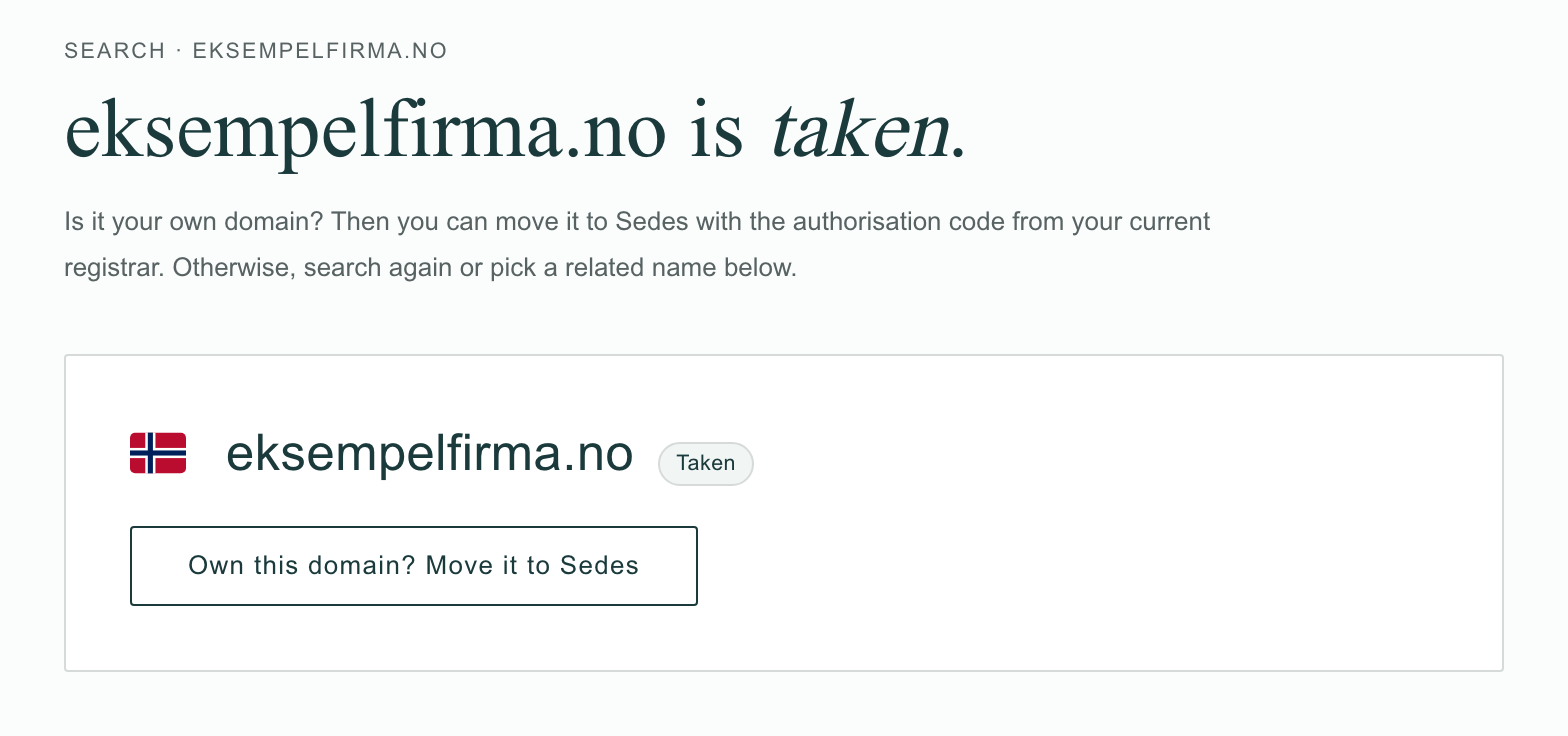
1. Search for the domain on sedes.no. The result is marked Taken, with a line saying that if it is your own domain, you can move it to Sedes with the authorisation code from your current registrar. Press Own this domain? Move it to Sedes.
If you already have domains in your basket, you are asked first. Start the transfer empties the basket; Keep my basket leaves it as it is.
2. Check the domain. The basket shows the one domain under "This is the domain you are moving.", and says that the move itself costs you nothing. Press Continue the move.
3. Sign in. Use Continue with Google or Continue with email. If you have no Sedes account, one is created when you sign in. Then press To the authorisation code.
4. Paste the code. Put it in the Authorisation code field and press Move the domain.
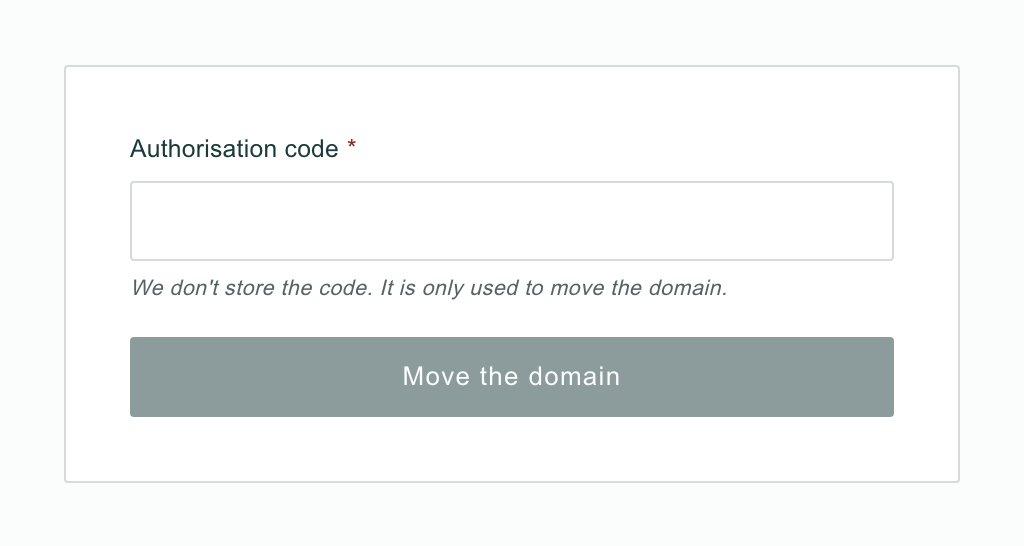
We don't store the code. It is used for this one request and nothing else.
That is the whole flow. There is no subscriber step, nothing to sign and no payment. One transfer covers one domain, because a code belongs to a single domain: five domains are five transfers.
What happens next?
When you press Move the domain, we send Norid one transfer request with your code. With a code there is no approval round and no waiting period: Norid either completes the change or refuses it, and that answer is final. The page shows you the outcome.
When it has gone through, the page says Transfer complete and that your domain has moved to Sedes, followed by "The domain is now with Sedes, on the same nameservers as before. You will get a confirmation by email."
You then get two emails. Ours carries your domain name and "has moved to Sedes" in the subject, and tells you the date of your next renewal. Norid sends its own confirmation of the registrar change to the email address on the subscription.
If we don't get a clear answer from Norid, the page says Transfer in progress, with the status In progress, and explains that we are checking it and will let you know by email. You don't need to do anything; we settle it ourselves.
Does it cost anything, and what about the time I've paid for?
The move is free: you pay Sedes nothing for it.
The domain keeps the expiry date it had. You lose no time and gain none. The next renewal is at Sedes on that date, which our confirmation email names, and it happens automatically unless you turn auto-renewal off in your account.
Whether the registrar you leave refunds anything or keeps invoicing you is between you and them. Cancelling there is a separate step.
Can I move my DNS to Sedes too?
Yes. When depends on what your registrar told you. If their DNS stops when the domain leaves, that has to be settled before you ask for the code, as described above. If it keeps answering, your domain points exactly where it did after the move, and moving DNS to Sedes is a separate step afterwards.
Either way the order matters: the records go in first, the nameservers change last. In your account, you add the records under the DNS and Email tabs. Until the domain uses our nameservers, the account tells you that records you save there don't work yet. When the records are in place, you change the nameservers under the Nameservers tab. Changing the nameservers there can take up to two days to work everywhere. Switching the nameservers before the records are in place leaves your site and email with no records until they are added.
Write to hei@sedes.no for our nameservers, or if you want help getting the order right. What the records and nameservers do is in Your domain's DNS settings, explained.
When it doesn't work
The code is refused. Now what?
The page says: "Norid did not accept the authorisation code. Check that you copied the whole code, or ask your registrar for a new one, and try again." A wrong code breaks nothing: the domain stays where it is, and the order stays open for a corrected code.
After several refused attempts the move pauses for up to a day, and the page tells you from when you can try again. If a fresh code from your registrar is refused too, write to hei@sedes.no.
The page says the domain isn't registered at Norid
Then there is nothing to move, and the page says you can register it instead. Our guide to ordering a .no domain shows how. If you are sure the domain is registered, write to hei@sedes.no.
The page says "Norid refused the transfer."
You have not been charged. Check that the domain hasn't expired: an expired domain is refused this way, and has to be renewed at your current registrar before it can move. If that isn't it, try again a little later, and write to hei@sedes.no if it still doesn't go through.
I have no code, or it never arrives
Norid has a second route: a one-time code that we order for you, which Norid emails to the address on the subscription. You can't order it yourself in your account. Write to hei@sedes.no with the domain name and we'll take it from there.
My registrar won't help
Norid's rule is that the registrar you are leaving must help you change registrar within five working days, free of charge. It is on Norid's page on changing registrar (in Norwegian), if you need to point them to it. If you are still stuck, write to hei@sedes.no.
The page says the move failed
The domain stayed where it was, and you have not been charged. Get a fresh authorisation code from your registrar and start a new move from the search on sedes.no, or write to hei@sedes.no and we'll help you from there.
My website or email stopped after the move
We changed nothing in your DNS, so the cause is with whoever runs your nameservers, email or hosting. Ask them first. If that doesn't get it back, write to hei@sedes.no with the DNS records you copied before the move.